Introduction
There’s a lot of talk about the Apple Vision Pro. Most of it, however, comes from people who tried it for a few minutes in an Apple Store, or from reviewers who spent a week with it. My story is a bit different.
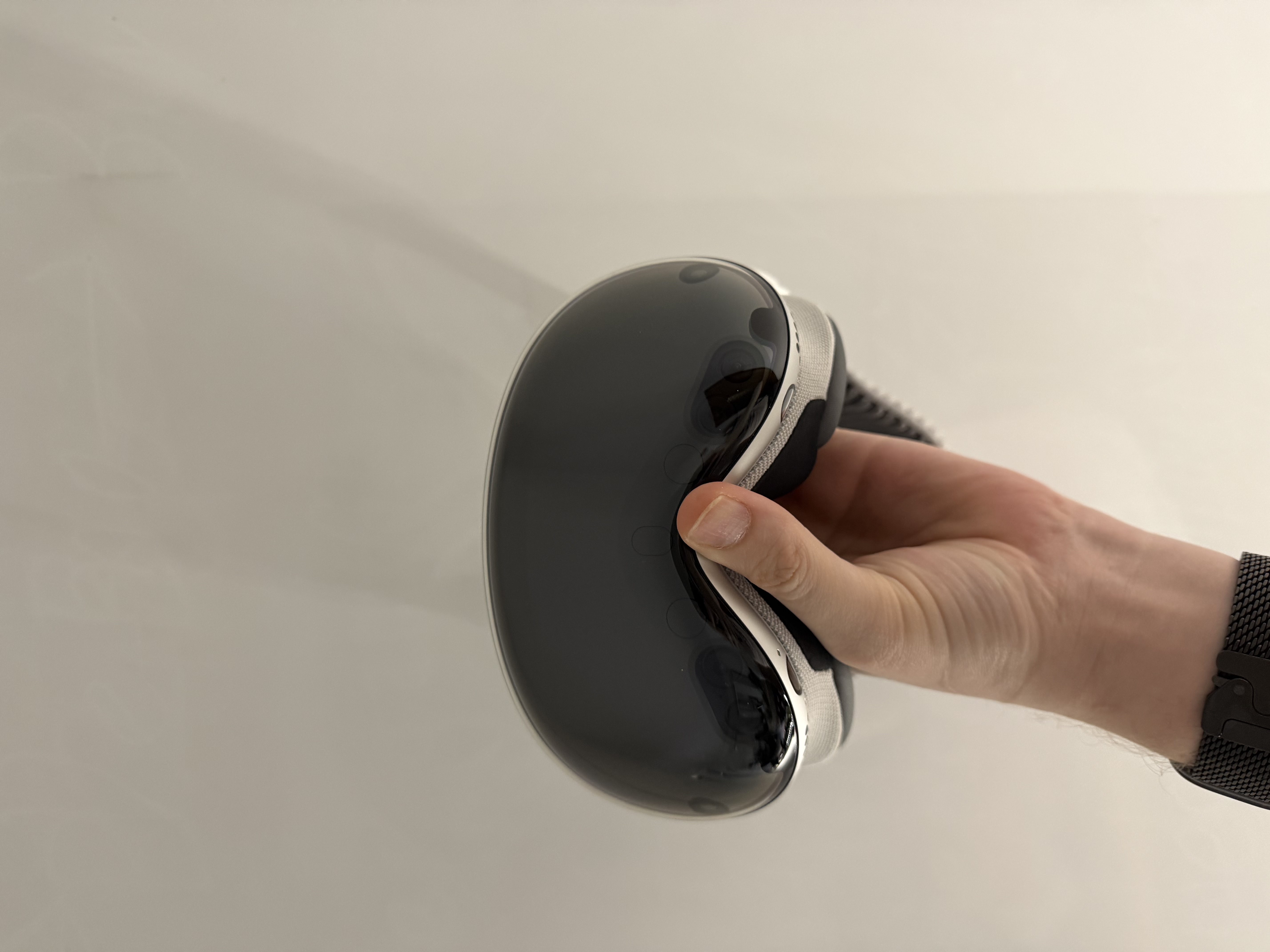
My first contact with the Apple Vision Pro was in May 2024. Over the following two years, I had several opportunities to test the device—and since February 2026, I’ve been working with it every single day. I want to share how my perspective gradually evolved, what surprised me, where I see real potential for businesses and individuals—and, conversely, where I see limitations that aren’t talked about enough.
When I first put on the M2-powered Apple Vision Pro in May 2024, I didn’t know what to expect. I had prior experience with VR headsets, but what I saw was something entirely different.
Next-Level Resolution
The first thing that hits you is the resolution. With older VR headsets, you always saw a pixel grid, a kind of fine veil over everything. There’s nothing like that here. The image is sharp, clean, and natural in a way I hadn’t experienced with any other device. Text is readable, colors are true to life, and the entire image feels like you’re looking through glass, not at a display.
Passthrough: The Real World Doesn't Disappear
Passthrough—the ability to see your real surroundings through the headset—was something I practically experienced for the first time. And it was groundbreaking. It’s not like putting on VR glasses and vanishing into another world. Here, you stay in your space. You see your desk, your room, the people around you. And floating above all that are digital windows and objects.
It makes a fundamental difference in how you perceive the device. It’s not an escape from reality; it’s an extension of reality. And that changes everything—from usage comfort to how long you’re able to wear the headset.
Eye and Hand Tracking
No controllers, no gamepads. You look at an element and pinch your fingers to activate it. The first few minutes feel strange—your brain has to get used to the fact that your gaze itself is the input device. But adaptation is surprisingly fast. After ten minutes, it felt natural.
After an hour of use, it feels weird that you ever had to reach for a mouse or a controller.
But… Apps Were Missing
Despite all the excitement, that experience had a major limitation: there was a desperate lack of apps. Hardware-wise, it was revolutionary, but software-wise, it felt like a beautiful house with empty rooms. You had incredible hardware and few reasons to use it every day.
Second Milestone: September 2025 and visionOS 26
For over a year, I didn’t come into contact with the Vision Pro. Then, in September 2025, the opportunity arose to test the first beta of visionOS 26. And once again, it absolutely blew me away.
Apple added widgets that you could work with directly in your space. You didn’t have to open full apps; you just looked at a widget and had the information you needed. Weather, calendar, notes, quick controls—everything right at eye level, without having to launch anything else.
For everyday use, this was a massive leap. It’s exactly these small things—quick access to information, less friction while working—that determine whether you use a device every day or banish it to a drawer. The experience I remembered from 2024 had moved to the next level.
Everyday Reality: February 2026 to Today
Since late February 2026, I’ve been using the Apple Vision Pro every day. And at this point, it’s no longer about the "wow" factor or a demo experience. It’s about whether the device can actually replace or complement a standard work setup. The short answer: yes, it can.
M2 vs. M5 Generation: More Than Just a Faster Processor
The new version with the M5 processor isn’t just an incremental upgrade. It’s a device that is used fundamentally differently than the original M2 model.
- Performance: You feel the difference in performance immediately. It’s not something you measure with a benchmark to say, “yes, it’s X percent better.” It’s something you feel. The fluidity, the responsiveness, the ability to handle multiple open windows without noticeable slowdowns. During computationally heavy tasks, the difference is even more pronounced. Rendering spatial content is smoother and more detailed—you notice this especially with complex scenes and 3D objects.
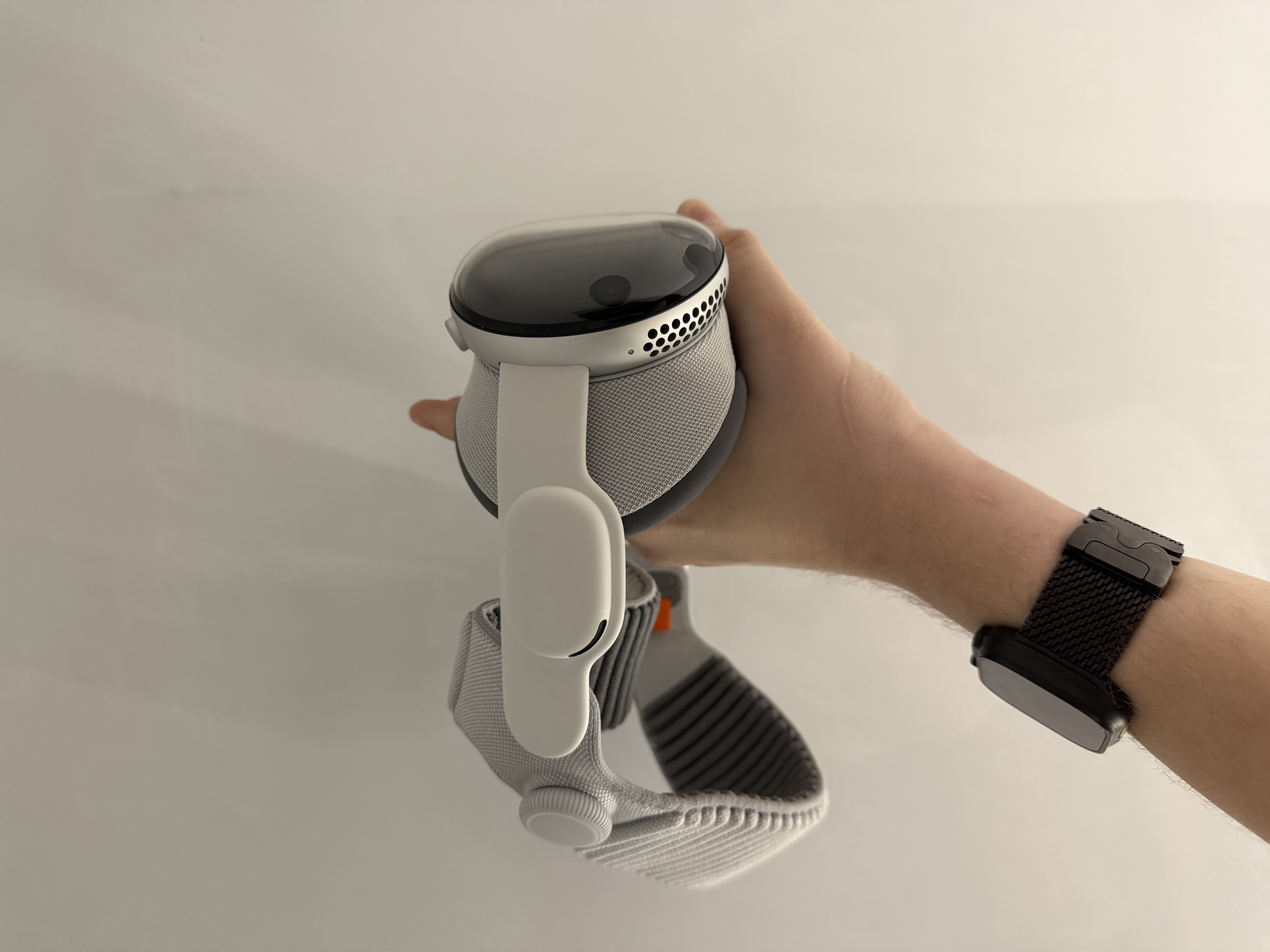
- Headband and Comfort: The new headband is heavier than the original, which sounds counterproductive, but in practice, it means better weight distribution. The headset holds better on the head and distributes pressure more evenly. Plus, it offers more fitting options—horizontally and vertically—so you can find the position that suits you. For daily wear lasting several hours, this is an appreciated change.
- Audio: The new speakers are significantly better than the previous generation. Spatial audio was already good on the M2, but the M5 version pushes it further—it’s deeper, more detailed, and more convincing. Whether watching movies or listening to music, it’s instantly noticeable.
- Battery Life: Apple doesn't share many official numbers, but my feeling is that the M5 device lasts longer. In normal workflow usage, it’s noticeable—I don’t have to think as often about when to plug it in.
Working with a Mac: An Infinite Workspace
For me, this is the biggest surprise of everyday use. The connection between Vision Pro and a Mac works by making your MacBook's desktop appear as one of the windows in your space. The MacBook must be physically open, awake, and logged into the same Apple ID—then the connection happens automatically.
- Keyboard and Touchpad as Universal Input: Once the Mac is connected, you can use its physical keyboard and touchpad not just to control the Mac, but for the entire visionOS. Switching between Mac windows and native visionOS apps is seamless. You write an email on the Mac, look over to your visionOS notes, and the keyboard works everywhere. No pairing, no switching.
- Windows Without Limits: Typically, I have 4 to 8 windows open: the Mac desktop, Apple Music, a few browser windows, and notes. Everything is arranged around me in space exactly how I like it. The size of each window can be freely adjusted—the Mac desktop can be as huge as a wall or as compact as a tablet. This is crucial for me when working with presentations; I can see how a slide looks on a massive screen, so when you actually project it on a real projector later, you know exactly what to expect. No external monitors, no physical limits.
- A Personal Dimension for Focus: One of my favorite features is the ability to switch into a personal "dimension." By turning the Digital Crown, you transport yourself into a completely different environment. A lunar landscape, a mountain lake, or a purely abstract space. When I need peace and maximum focus, I close myself off in there and work without any external distractions.
The world around me disappears, but all my workflow windows stay exactly where I left them.
Home Theater
And then there’s entertainment. The Vision Pro as a home theater is phenomenal. Imagine a massive screen, perfect darkness all around, and spatial audio that is even better thanks to the new M5 speakers. You don’t need a huge apartment, and you don’t need to invest in a projector and screen. You put on the headset and you’re in the cinema. Literally.
Apps: A Growing Ecosystem
The app ecosystem has grown significantly since 2024, although it’s still not quite the blockbuster lineup you see on the iPhone. Here is what works well:
- Productivity Tools: Office apps and Keynote in a spatial interface make work significantly easier. Presenting in Keynote spatially is an experience you can't replicate on a standard monitor.
- Museum and Educational Apps: The ability to place 3D models and objects into your space, view them from all angles, and take them apart. For education, it’s a leap that is hard to imagine until you see it.
- Spatial Drawing: Visualizing ideas directly in 3D. When you need to sketch something more complex than what fits on a whiteboard, it’s a brilliant tool. Architects, designers, engineers—anyone who thinks spatially will find value here.
Honestly: What Isn't Perfect
I would be dishonest if I only wrote about the positives. Here are the things that need to be stated plainly.
- Price: For the average consumer, the Vision Pro is an expensive device. That’s a fact. If you’re buying it purely for entertainment or occasional use, the investment might not pay off. Where the price starts making significantly more sense is in the corporate environment. Vision Pro allows you to deliver experiences in a way that other headsets can’t—and there, the return on investment is calculated very differently.
- Weight and Comfort: Personally, the weight doesn't bother me, but I understand that for someone not used to headsets, it can take some getting used to. The new headband on the M5 version is vastly more comfortable than the original, showing Apple is clearly working on this. If the weight of the original model deterred you, the new generation is worth trying.
- App Ecosystem: Better than in 2024, but still not where it should be. Key productivity apps work. But if you’re looking for niche software, you might find that a visionOS version doesn’t exist yet. The ecosystem is growing, but it’s no iPhone.
Spatial Computing for Businesses
This is where I see the biggest potential for the Apple Vision Pro—and it’s also the direction we’re heading at Strand Forge.
Why Businesses?
Vision Pro allows you to create experiences that bridge the virtual world with the physical one. That sounds like a marketing phrase, but in practice, it means something very tangible: you can take a real object and let it interact with virtual content. You can provide a customer with an experience that no presentation, video, or website can convey.
What We Do at Strand Forge
We are working on an application designed to deliver an experience demonstrating exactly what is possible in visionOS. Our vision is to connect physical objects with the virtual world—so that interacting with something real triggers something in the virtual space. We will share details gradually, but the direction is clear: we want to show that spatial computing isn't just a technological toy, but a tool for delivering content on a completely different level.
Three Areas Where It Makes Sense Today
- Education: Imagine a training session where, instead of slides, you disassemble a 3D model of a product, walk through the manufacturing process in your space, or simulate scenarios that would be too expensive or dangerous in real life.
- Presentations and Sales: Show your customer a product in 3D, let them interact with it, rotate it, take it apart. No catalogs, no rendered images. A direct experience.
- Experiences and Events: Brands are always looking for ways to stand out. Spatial content that merges the physical and virtual worlds is exactly the kind of experience people share and remember.
Who is the Vision Pro For?
Over the two years I’ve been following the development of the Apple Vision Pro, I’ve seen both sides. People who said they couldn't understand why anyone would buy it—and after trying it, seriously considered getting one. And also people who tried it and concluded it didn't make sense for them. Both reactions are perfectly valid.
If you are a knowledge worker—you work with text, present, or analyze data—the Vision Pro might be your ultimate work tool. An infinite workspace, zero distractions, intuitive controls.
If you are a business looking for a new way to deliver content to customers, train people, or showcase products—the potential here is enormous.
Conclusion: Form Your Own Opinion
One thing applies universally: you can only truly form an opinion after you try the device. No review, no blog post—including this one—can convey the experience.
No review can convey the experience. You have to try it yourself.
Want to Try the Apple Vision Pro?
At Strand Forge, we are preparing corporate demos that we will start offering throughout 2026. If you’re interested in how spatial computing can change the way you deliver content to your customers, get in touch with us.
More information at strandforge.com